


Studio headshots from one selfie
Take one selfie, pick a style and get four photos in about 20 seconds — for LinkedIn, your CV, Zoom or a dating profile. If they don't look like you, we redo them.
One email when it launches. No newsletter, no spam.
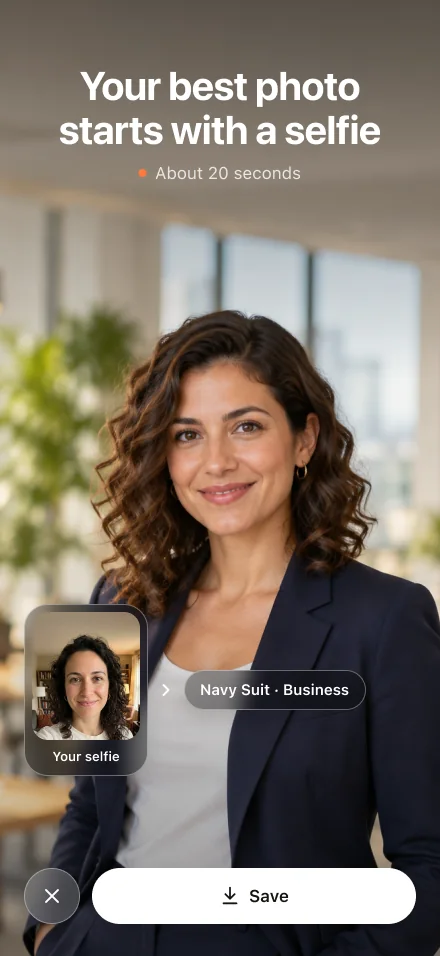
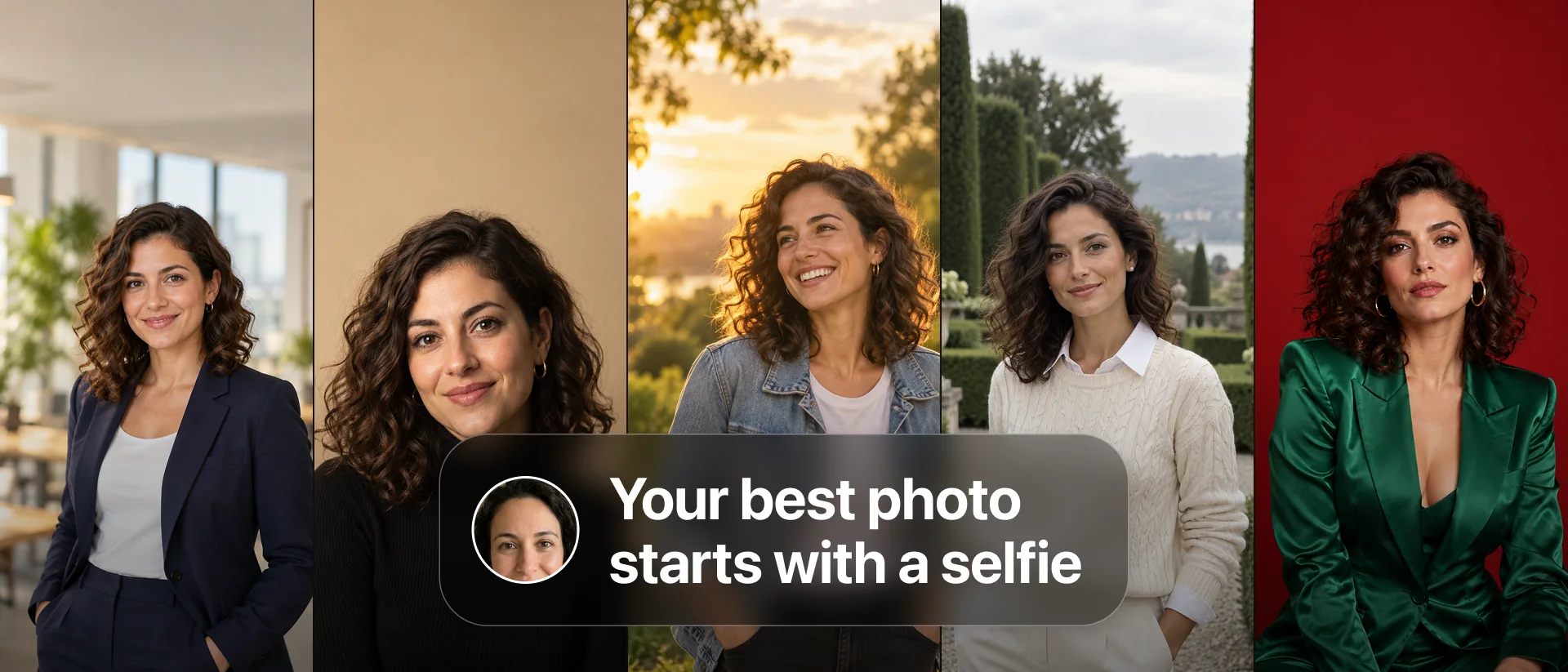
One selfie. Four photos.
Take a selfie
Or pick one from Photos. Headshot checks it in a couple of seconds and saves it, so you only do this once.
Pick a style
Office, studio, golden hour and more — or describe a scene in your own words. Choose square, portrait or story.
Get four photos
In about 20 seconds. Save the one you like, share it, or fix a detail with a quick edit.
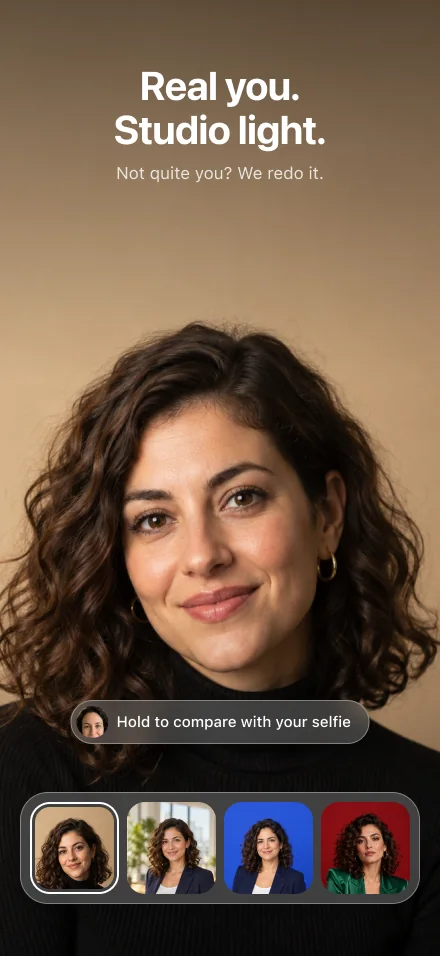
Looks like you. Or we redo it.
A headshot is only useful if it's you. So Headshot makes it easy to check — and easy to fix.
- Hold to compare — press the photo to see your selfie in the same spot.
- Not quite you? — tell us what's off and Headshot makes four new photos, at no extra cost.
- Still not right? — it suggests a better selfie to start from.
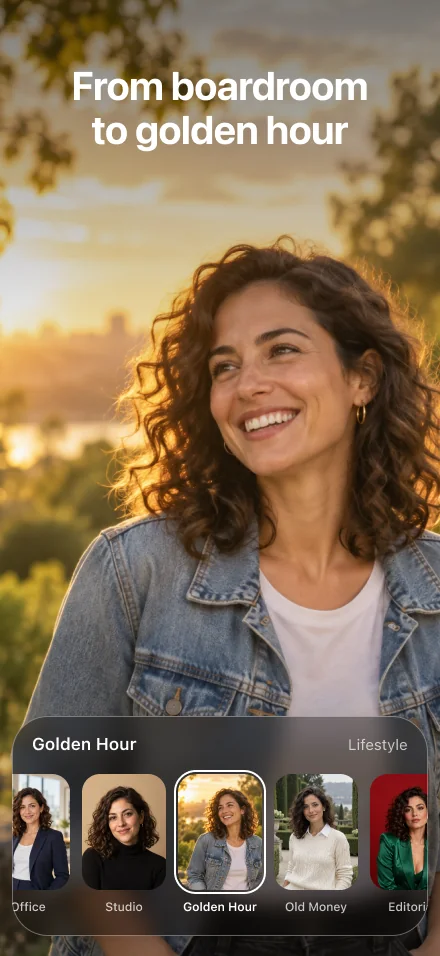
From boardroom to golden hour
Business, studio, casual and lifestyle looks, each with its own light, backdrop and outfit. Or skip the catalog and describe the photo you want.
- Office and Navy Suit — for LinkedIn, your CV and work profiles.
- Studio — clean light on a plain backdrop.
- Golden Hour, Old Money, Editorial — for when you want more than a headshot.
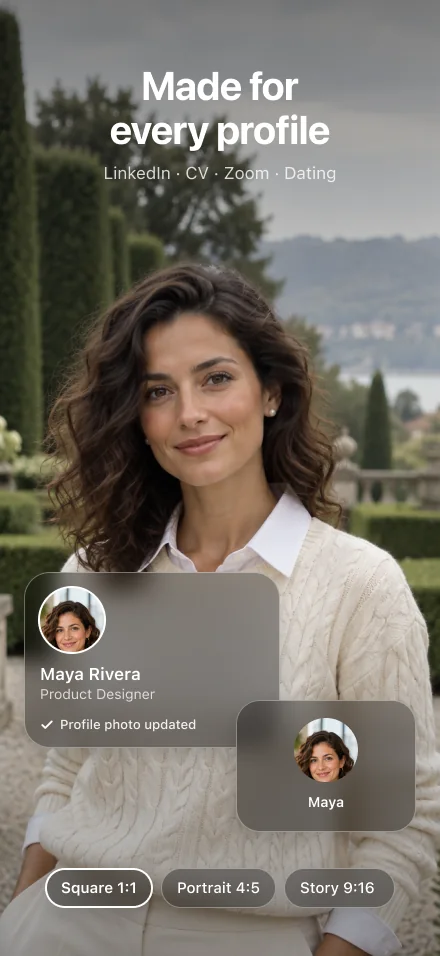
Made for every profile
One photoshoot covers LinkedIn, your CV, your Zoom picture and your dating profile.
- Three formats — square 1:1, portrait 4:5 or story 9:16.
- Full quality — save straight to Photos or share from the app.
- Several faces — add people you have permission to photograph, and pick whose face to use.
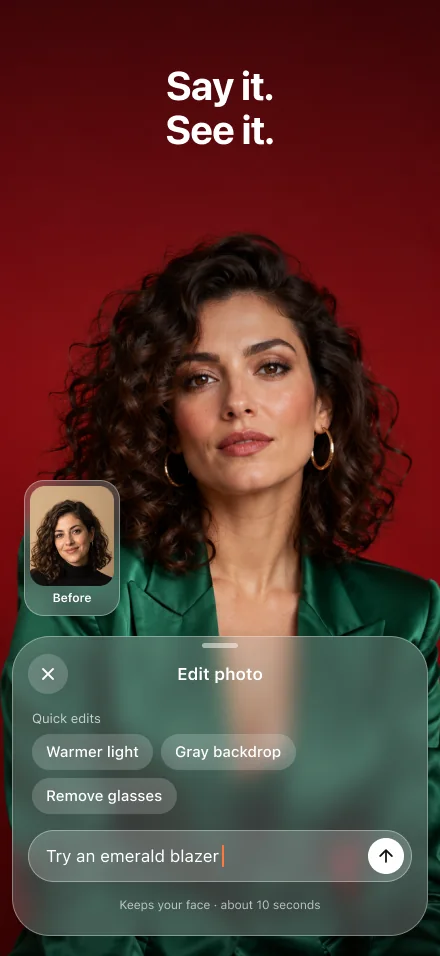
Change anything. Just type it.
Warmer light, a gray backdrop, no glasses, an emerald blazer: tap a quick edit or describe the change. Your face stays the same, and Undo is one tap away.
Not just headshots
Recreate a photo
Love a photo's pose, outfit or setting? Use it as a reference and get yourself in it.
Edit any photo
Pick any picture from Photos and describe what to change.
Your faces
Keep your own selfie and add people you're allowed to photograph — with their permission, confirmed in the app.
Your face is yours
Your selfie goes only to our AI partner to make your photos. It's never used to train AI.
- You decide what's kept — selfies are saved to Your faces; turn off “Save new faces” and a selfie is used for that photoshoot, then deleted after 30 days.
- Delete anytime — remove a face, all your photos or all your data in Privacy & data, or download a copy first.
- Other people need to agree — you confirm you have their permission before adding their face.
- No celebrities — Headshot won't make photos of real public figures.
See your first photo, then go Pro
A free preview
- Your first photoshoot makes one free preview photo
- Marked “Preview”, so you can judge the likeness first
- Every style and the whole catalog to browse
Every photoshoot, every style
- All four photos of every photoshoot, in full quality
- “Not quite you?” redos and quick edits
- Recreate a photo and Edit any photo
- No credits to count
Weekly with a 3-day free trial, or yearly. Cancel anytime.
Final prices will be shown in the app at launch.
Be first in line
Leave your email and we'll send one message the day Headshot is in the App Store.
One email when it launches. No newsletter, no spam.