The four-part prompt: task, context, audience, format
Most weak AI answers come from weak prompts. A simple checklist that fixes the majority of them, with before-and-after examples.
When an AI answer comes back bland, generic or slightly off, the cause is usually the prompt, not the AI. The model doesn't know what you know. Anything you leave out, it fills in with the most average guess.
The fix isn't magic words or "act as a world-class expert" tricks. It's making sure the prompt covers four things.
The four parts
- Task — what you want done, stated as an action. Write, summarize, compare, rewrite, list, plan.
- Context — the background the AI can't know: the situation, the facts, what's already been tried, any constraints.
- Audience — who the result is for, and what they care about.
- Format — what the answer should look like: length, structure, tone.
Of the four, context is the one people forget most often. The task feels obvious because it's in your head; the context is in your head too, which is exactly the problem.
Before and after
Weak promptWrite an email about our app.The AI will produce something like "We're excited to tell you about our app! It has lots of great features for your everyday life. Download it today!" — grammatically fine and completely useless. It had to guess everything.
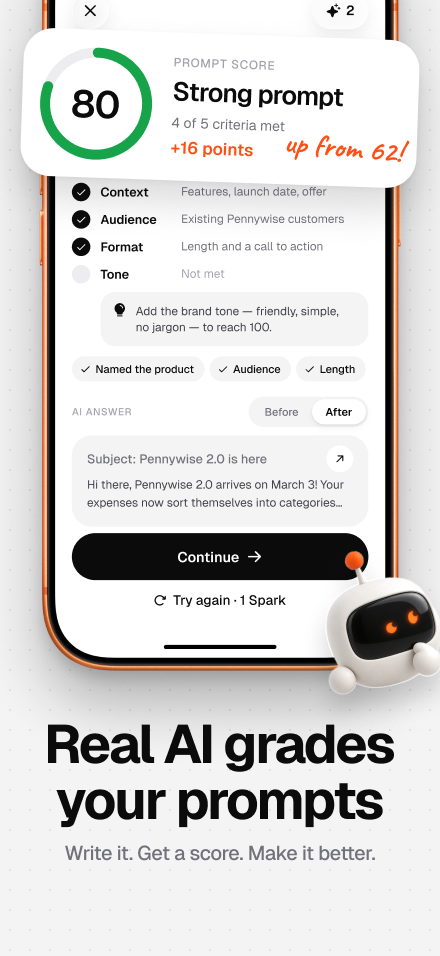
Four-part promptWrite an email announcing our new budgeting app, Penny, to people who signed up for the beta waitlist. (task) Penny connects to your bank and sorts spending into categories automatically. The beta is free for 3 months. Launch is on 1 March. (context) The readers are busy young professionals who signed up 6 months ago and may have forgotten us. (audience) Keep it under 120 words, friendly but not hype-y, with one clear call to action button text at the end. (format)Same AI, same model — a far better first draft, because there's nothing left to guess.
A quick checklist
Before you hit send, run down the list:
- Task: Does the prompt start with a clear verb?
- Context: Would a smart stranger have enough to do this well?
- Audience: Did you say who it's for?
- Format: Did you say how long, what structure, what tone?
You don't need all four every time. "What's the capital of Australia?" needs none of this. But for anything you'll actually use — an email, a plan, a summary for your boss — the four parts save you three rounds of "no, make it shorter… no, more formal…".
Polite words don't matter much. Specifics do.
A common belief is that "please" and "thank you" make the AI try harder. Courtesy doesn't hurt, but it's not where quality comes from. Swapping "please write a nice email" for "write a 100-word email to a customer whose order is two days late, apologizing and offering free shipping on their next order" changes the result far more than any polite phrasing.
When the first answer is still off
Don't start over — follow up. Good follow-ups are just as specific as good prompts:
- "Too stiff. Rewrite it the way you'd say it to a colleague over coffee."
- "Cut it to three sentences and lead with the date."
- "The second point is wrong: the trial is 3 months, not 30 days. Fix that and keep the rest."
"Make it better" is the follow-up version of "write an email about our app" — it gives the AI nothing to work with.