How to summarize a long link or PDF without missing what matters
A summary is only as good as the question behind it. Four follow-up prompts that turn a generic summary into a useful one.
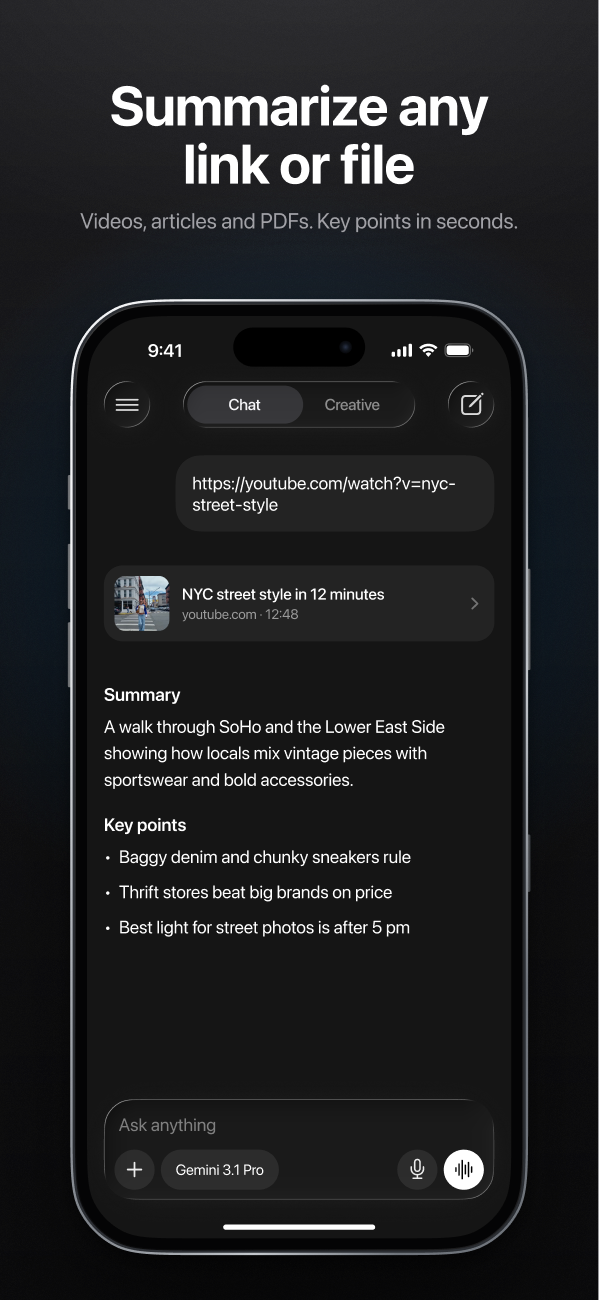
"Summarize this" is one of the most popular things people ask an AI to do — and one of the easiest to get mediocre results from. A generic summary tells you what a document is about. What you usually need is what it means for you.
The fix is to start with a summary and then ask better follow-up questions.
Start with your purpose
Before you even ask, add one line about why you're reading:
Better first promptSummarize this report in 5 bullet points. I'm deciding whether our team should adopt this tool, so focus on cost, setup effort and risks.Same document, very different summary — because the AI now knows what to keep and what to drop.
Four follow-ups that make summaries useful
1. "What's missing?"
What important details did your summary leave out? List anything a careful reader would want to know.Summaries compress, and compression drops things — often the caveats.
2. "Show me where"
For each key point, quote the sentence in the document that supports it.This is your fact-check. If the AI can't point to the source sentence, treat that point with suspicion.
3. "What does it mean for me?"
I'm a freelance designer. What in this contract should I be worried about, and what should I ask to change?Turn a description into advice tailored to your situation.
4. "What would the other side say?"
What would a critic of this article argue? What evidence is weakest?Especially useful for opinion pieces and anything trying to persuade you.
Watch out for
- Long documents. Very long files may be shortened before the AI sees them. For anything critical, ask about specific sections, or check the parts that matter yourself.
- Pages behind logins or paywalls. If a link needs you to sign in, the AI may only see the preview — and summarize that.
- Numbers. Always check figures against the original. Summaries are where 15% quietly becomes 50%.
- Private documents. Think before uploading confidential contracts or personal data, and follow your workplace's rules.
The two-minute version
State your purpose, get the summary, ask "show me where" for the point you'll rely on. That's usually enough to turn a 40-page PDF into a decision you can trust.